A missed business call rarely feels serious in the moment. Then you listen to the voicemail, hear a ready-to-buy customer, and realize they already called someone else.
That's why a call divert application matters. Not as a clever phone trick, but as a practical system for making sure calls still get answered when you're with a customer, driving between appointments, handling lunch rush, or off the clock. For many small businesses, the first version of call divert is just a mobile setting. That works for a while. Then the cracks show. Calls hit the wrong person, after-hours leads land in a dead-end voicemail, and nobody knows whether a booking appointment request was handled or lost.
Never Miss a Customer Call Again
A common pattern looks like this. A business owner uses one main number. During the day, calls ring the front desk. After hours, they hope voicemail catches what they miss. It sounds manageable until a prospect calls in the evening to ask about service availability, or a patient wants to book an appointment before work, or a property lead calls while an agent is already on another line.

At that point, call divert stops being a convenience feature. It becomes part of revenue protection, customer service, and day-to-day continuity. If nobody picks up, the caller doesn't care whether the issue was a carrier setting, a dead battery, or a front desk gap. They just remember that your business didn't answer.
What basic forwarding fixes
Basic call forwarding solves one immediate problem. It redirects incoming calls to another number so they don't die on the original line. A solo operator can send office calls to a mobile. A clinic can route lunch-break calls to an answering service. A trades business can redirect after-hours enquiries to whoever is on call.
That's useful. It's also limited.
Where a business needs more than a phone setting
A business usually needs more than “ring my cell instead.” It needs rules. It needs visibility. It needs a way to handle overflow. In many cases, it also needs a call path that can answer common questions and handle booking appointment requests even when staff aren't free.
Practical rule: If a missed call can become a lost lead, your forwarding setup belongs in your communications workflow, not buried in one employee's handset settings.
That's where a more structured option, such as an AI receptionist for inbound call handling, starts to make sense. Instead of treating call divert like a last-minute patch, you treat it like part of how your business stays reachable every hour you expect customers to call.
Understanding Call Divert from Phones to the Cloud
Call divert is easiest to understand as mail forwarding for phone calls. If someone sends mail to your old address, the postal service forwards it to the new one. If someone calls your main number, call divert sends that call to another destination before you answer it.
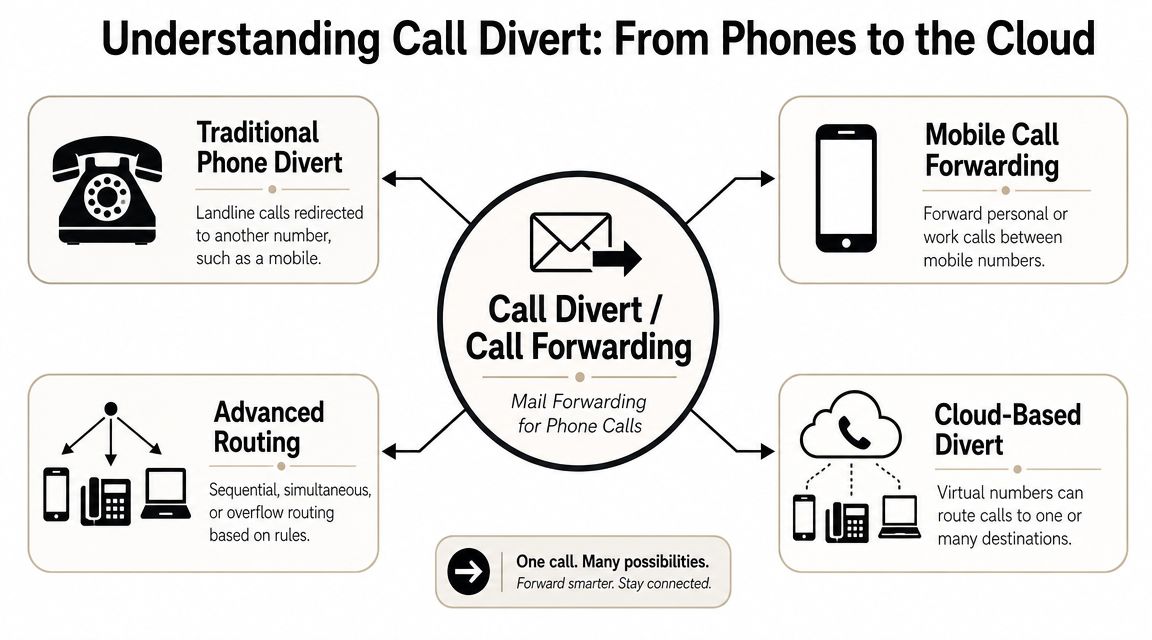
This isn't new technology. Call divert, also called call forwarding or call diversion, has existed across telephone systems for decades and is commonly activated with carrier codes such as *72 to enable forwarding and *73 to disable it, as described in Wikipedia's overview of call forwarding.
The main forwarding types
Most businesses run into three practical forwarding modes first:
- Always forward means every inbound call goes somewhere else immediately.
- Forward on busy means the call moves only when the original line is already in use.
- Forward on no answer means the system waits, then redirects if nobody picks up.
Those cover the basics for many small teams. They're enough if your only goal is “don't let the call stop at one phone.”
The device and carrier version
At the basic level, call divert usually lives with the carrier or handset settings. Someone enters a forwarding number through the phone menu or dialing codes. The network then sends calls to that destination.
That approach is simple. It's also narrow. It usually depends on one person managing one line at a time. If the office manager changes mobile numbers, leaves the company, or forgets to turn off a temporary rule, call handling gets messy fast.
The cloud version
In a cloud phone system, forwarding becomes routing logic rather than a one-number redirect. You can send calls by time of day, team, queue, department, or availability status. You can ring multiple users, overflow calls to another group, or push missed front-desk calls to an automated assistant that can capture details or help with booking appointment requests.
A modern business doesn't just need calls forwarded. It needs calls directed to the right destination with the least friction for the caller.
That's why cloud platforms fit business operations better than ad hoc handset settings. If you want that broader routing model inside a team environment, a cloud contact center setup is much closer to how real businesses handle live demand.
Beyond Basic Forwarding Top Business Use Cases
The biggest mistake I see is treating a call divert application like it only exists for owners who are away from their desks. In practice, it's useful anywhere a customer expects a response and your first-choice person might not be available.
After-hours appointment capture
A dental office closes for the evening, but patients still call after work. Basic forwarding can send those calls to a mobile phone. Sometimes that works. More often, staff don't want their personal phone ringing at night, or they miss the call anyway.
A better setup diverts after-hours calls to a business system that can answer routine questions and handle booking appointment requests. That way, the caller doesn't hit a generic voicemail and hope for a callback the next morning.
On-call service rotation
For an HVAC company, plumbing service, or field repair team, after-hours routing changes constantly. This week one technician is on call. Next week it's someone else. Device-level forwarding becomes fragile because somebody has to remember to update it.
Cloud-based business systems were built for this broader use. One comparison of call forwarding options noted that consumer tools sit alongside business platforms such as Talkroute at $19 per user per month and Calilio at $12 per user per month, with business options adding shared numbers, ring groups, SMS, and routing features that consumer apps don't include, according to Quo's call forwarding app comparison.
Remote and hybrid teams
A remote sales team needs one published business number, not five personal mobiles. If calls forward to one rep's cell, that rep becomes a bottleneck. If they're in a meeting, the lead waits or disappears.
With a team setup, calls can ring the sales group, then overflow to a supervisor, then route to an automated assistant that captures the lead and schedules a follow-up. The caller experiences one business, not a chain of individual phones.
Continuity during outages and absences
A legal office loses internet at one location. A property management office closes unexpectedly for weather. A small retailer has the manager out sick and no trained backup on the floor. These aren't rare edge cases. They're everyday operational interruptions.
A call divert application earns its keep here because it keeps the front door open when the physical office can't.
If your main number only works when one device, one person, and one location are all available, you don't have resilient call handling. You have hope.
Industry examples where this matters
- Healthcare and dental practices need a clean handoff for urgent calls, next-day enquiries, and booking appointment requests.
- Real estate teams need new buyer and seller calls to reach whoever can respond first.
- Professional services firms need client calls answered professionally even when the named contact is in court, in a consultation, or traveling.
- Retail and e-commerce support teams need overflow paths during promotions, staffing gaps, and seasonal spikes.
The common thread is simple. Basic forwarding moves a call. A business-grade setup protects the customer experience.
Choosing Your Call Divert Implementation Method
When owners ask which setup they should use, the answer usually depends on whether call handling is still personal or already operational. If the business still revolves around one person and one number, device forwarding may be enough. Once multiple staff members, schedules, or locations are involved, it usually isn't.
What device-level forwarding does well
Device-level divert is quick to set up. It's familiar. In some cases, the carrier handles it at the network level, which means the forwarding rule can still apply even if the handset is offline. Enterprise-style implementations also support conditions such as busy, unanswered, and unreachable, and some iPhone tools generate the standard diversion codes used to activate those network-side rules, as described in the Divert Calls app listing.
That's the good news.
The trade-off is administration. Rules live in scattered places. One employee might have changed a handset setting. Another might have activated a carrier rule. Nobody has a central record of who changed what or why. For a growing business, that becomes an avoidable source of confusion.
Where cloud management changes the equation
Cloud PBX management puts all of that under one roof. You manage routing centrally, not phone by phone. You can create schedules, fallbacks, department logic, and overflow paths without chasing individual users for screenshots of their settings.
That matters most when calls affect revenue, support quality, or compliance. It also matters when you need consistent handling of lead intake and booking appointment requests across different staff shifts.
Device-level divert vs Cloud PBX management
| Feature | Device-Level Divert | Cloud PBX Divert |
|---|---|---|
| Setup style | Managed on a handset or through carrier codes | Managed from a central business admin interface |
| Best for | Solo users and simple temporary redirects | Teams, departments, and multi-location businesses |
| Routing options | Usually one destination per rule | Multiple destinations, schedules, groups, overflow logic |
| Administrative control | Scattered across individual users | Centralized and easier to standardize |
| Visibility | Limited operational oversight | Better business-level control and review |
| Scalability | Gets cumbersome as staff count grows | Built for changing teams and call flows |
| Appointment handling | Usually ends at a person or voicemail | Can route to automation or intake workflows |
| Change management | Easy to forget and hard to audit | Easier to update without touching each device |
A practical decision rule
Use device-level forwarding if all of these are true:
- One person owns the calls
- The forwarding target rarely changes
- You can tolerate voicemail as the fallback
Move to cloud management if any of these are true:
- Several people answer the same business line
- You need after-hours logic
- You want reporting, centralized control, or automated intake
- Missed calls affect appointments, leads, or service commitments
For businesses in that second group, a cloud-based contact center platform is the more stable long-term choice because the routing belongs to the business, not to one handset's settings.
Security and Compliance for Call Forwarding
Most call forwarding advice stops at “open settings and enter a number.” That's fine for personal use. It's not enough for business communications.
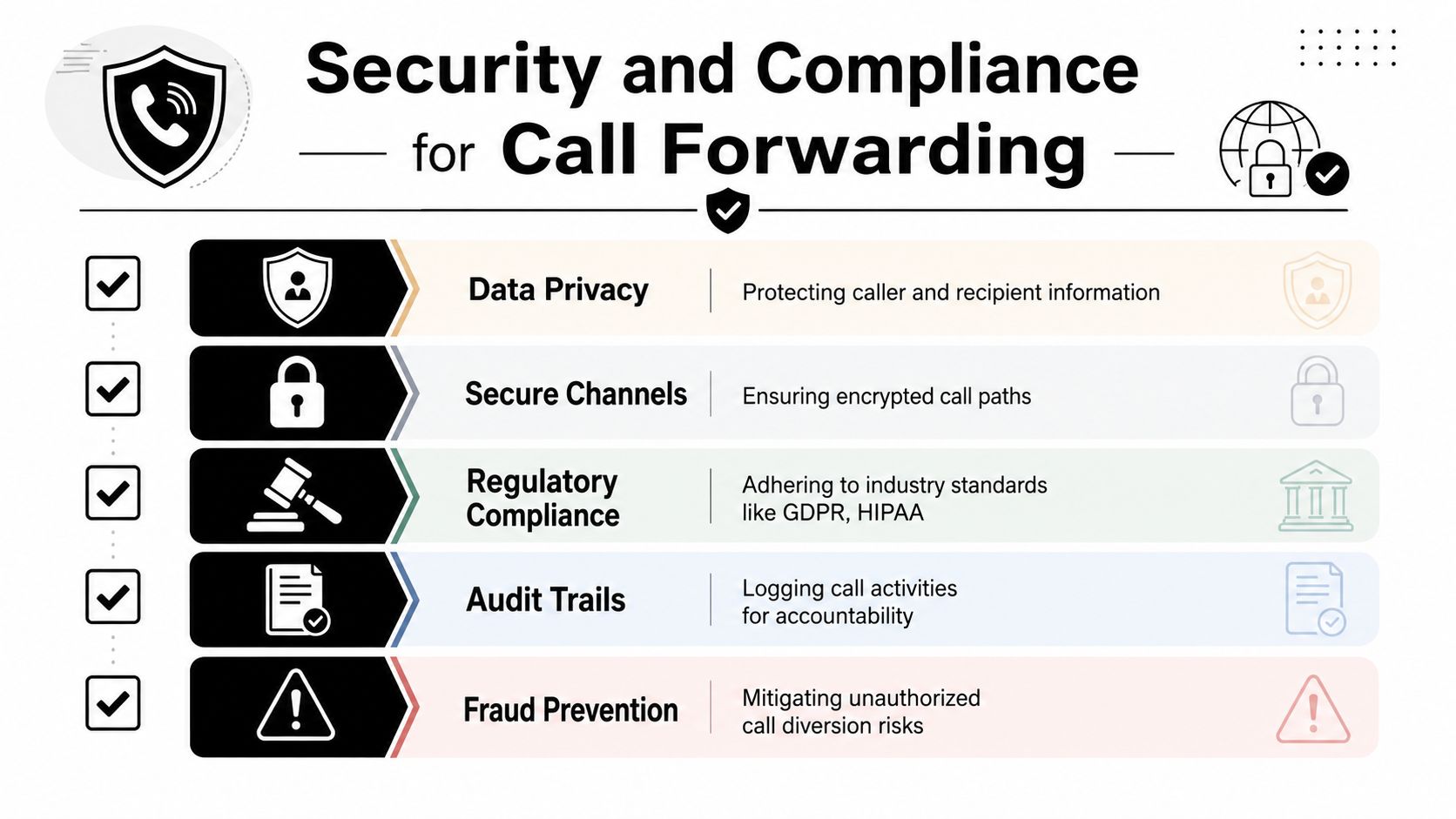
A forwarded business call can involve customer identity, health information, legal matters, payment discussions, or recorded conversations. Public guidance often treats call divert as a simple feature, but business users need to think about consent, emergency access, recording rules, and transparency. That concern is captured in Callchimps' discussion of call divert setup and compliance considerations, which notes that U.S., EU, and UK guidance raises privacy and lawful-processing issues around business call handling.
The hidden risks owners overlook
The first risk is uncontrolled destinations. If staff forward calls to personal devices without policy, your business may lose oversight of where sensitive conversations are taking place.
The second is recording confusion. If your main line records calls or announces recording, you need to understand how that behaves when a call is diverted. Don't assume the caller experience stays the same just because the call started on your published number.
The third is emergency and location issues. A business should know what happens if a line used for normal business communication is also expected to support emergency calling. Forwarding can complicate assumptions about where a call appears to be handled.
Operational warning: Treat forwarding rules like access permissions. If you wouldn't let anyone redirect customer data without oversight, don't let anyone redirect business calls without oversight either.
Sensible safeguards for SMBs
A small business doesn't need a legal memo to improve this. It needs basic discipline.
- Create a routing policy that defines who can forward calls, to what types of destinations, and under what circumstances.
- Review active rules regularly so temporary changes don't become permanent blind spots.
- Document recording behavior for transferred and diverted calls, especially if your industry has consent requirements.
- Limit personal-device use when sensitive customer conversations are involved.
- Use platforms with auditability so admins can see and manage routing behavior centrally.
Security is part of professionalism
Customers don't separate convenience from trust. If a patient calls to book an appointment, or a client calls with a time-sensitive matter, they expect your business to handle that interaction responsibly from the first ring to the final handoff.
A reliable call divert application should therefore be judged on more than whether it forwards calls. It should support control, traceability, and predictable handling under real business conditions.
How CVT Enhances Your Call Divert Strategy
A business-grade call divert setup works best when it's part of a larger communications system. That's where hosted VoIP, routing logic, contact center tools, and AI handling start to reinforce each other instead of operating as disconnected features.
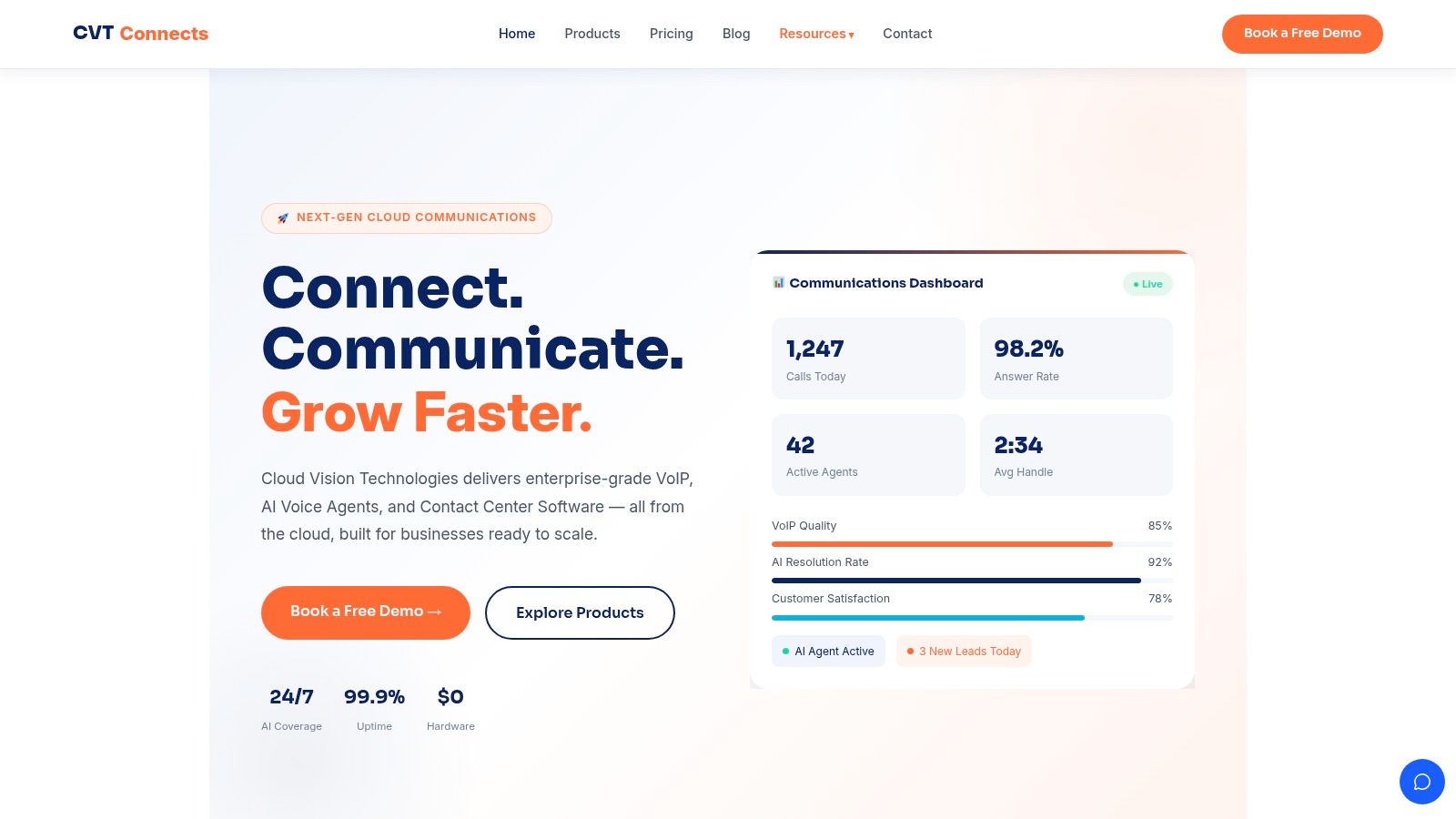
Cloud Vision Technologies LLC fits that model as one option for businesses that want cloud PBX, contact center capability, and an AI Voice Agent in the same environment. In practical terms, that means a diverted call doesn't have to end at a voicemail box or one employee's mobile. It can follow time-based routing, team logic, auto-attendant paths, or land with an AI system that handles first-contact tasks.
What that looks like in day-to-day operations
A medical office can route lunch-break and after-hours calls to an automated voice agent that answers routine questions and handles booking appointment requests.
A law firm can send overflow calls to a structured intake flow rather than dropping prospects into a generic mailbox.
A sales team can direct missed inbound calls into lead capture and qualification, then escalate to a live rep when needed.
Why this is different from simple forwarding
Basic forwarding answers one question. “Where should this call go instead?”
A cloud-native setup answers several more:
- Who should get this call based on time, role, or availability
- What should happen if nobody answers
- Should the caller be able to complete a task without waiting for staff
- How should the business log, monitor, and improve the flow
That's the shift. A call divert application stops being a detour and becomes a controlled customer journey.
The strongest modern setup is the one where a missed human answer doesn't become a missed business opportunity.
For businesses that rely on steady inbound demand, that can be the difference between hearing a voicemail backlog every morning and waking up to confirmed appointments already captured in the system.
Common Questions About Call Divert Applications
Does a call divert application always rely on an app
No. The forwarding function itself often exists at the carrier or network level. Many apps provide an easier interface for managing it. In cloud systems, the routing can live in the business phone platform rather than in a handset app.
What happens if the original phone is off
It depends on how the forwarding rule was configured. Some rules are enforced by the network, so the call can still be diverted even when the handset is offline. That's one reason business owners shouldn't assume the phone itself is doing all the work.
Will callers know their call was forwarded
Sometimes yes, sometimes no. Caller ID behavior and presentation can vary by provider, device, and routing method. If that detail matters to your workflow, test it with your actual carrier or phone platform before relying on assumptions.
Is basic forwarding enough for a small business
Sometimes. If you're a solo operator and just need office calls sent to your mobile for a short period, it may be enough. If you need coverage across staff, after-hours handling, reporting, or booking appointment workflows, a cloud setup is usually the better fit.
What if two people are busy
That's exactly where simple forwarding starts to break down. In a business system, the call can overflow to another user, a queue, an answering service, or an automated voice agent. In a basic setup, the caller often ends up at voicemail.
Should I worry about emergency calling and compliance
Yes. Forwarding business calls can affect how calls are handled, recorded, and routed. If your organization operates in a regulated environment, confirm your policy before letting staff create informal forwarding paths.
Cloud Vision Technologies LLC offers a practical route for businesses that have outgrown one-off forwarding rules. If you need a cloud phone system that can route calls by schedule or team, support live agents, and use an AI Voice Agent to answer calls and book appointments when staff are unavailable, review the platform at Cloud Vision Technologies LLC.